
1. In your Smart Product Sorter dashboard, click the ‘Create new collection’ button.

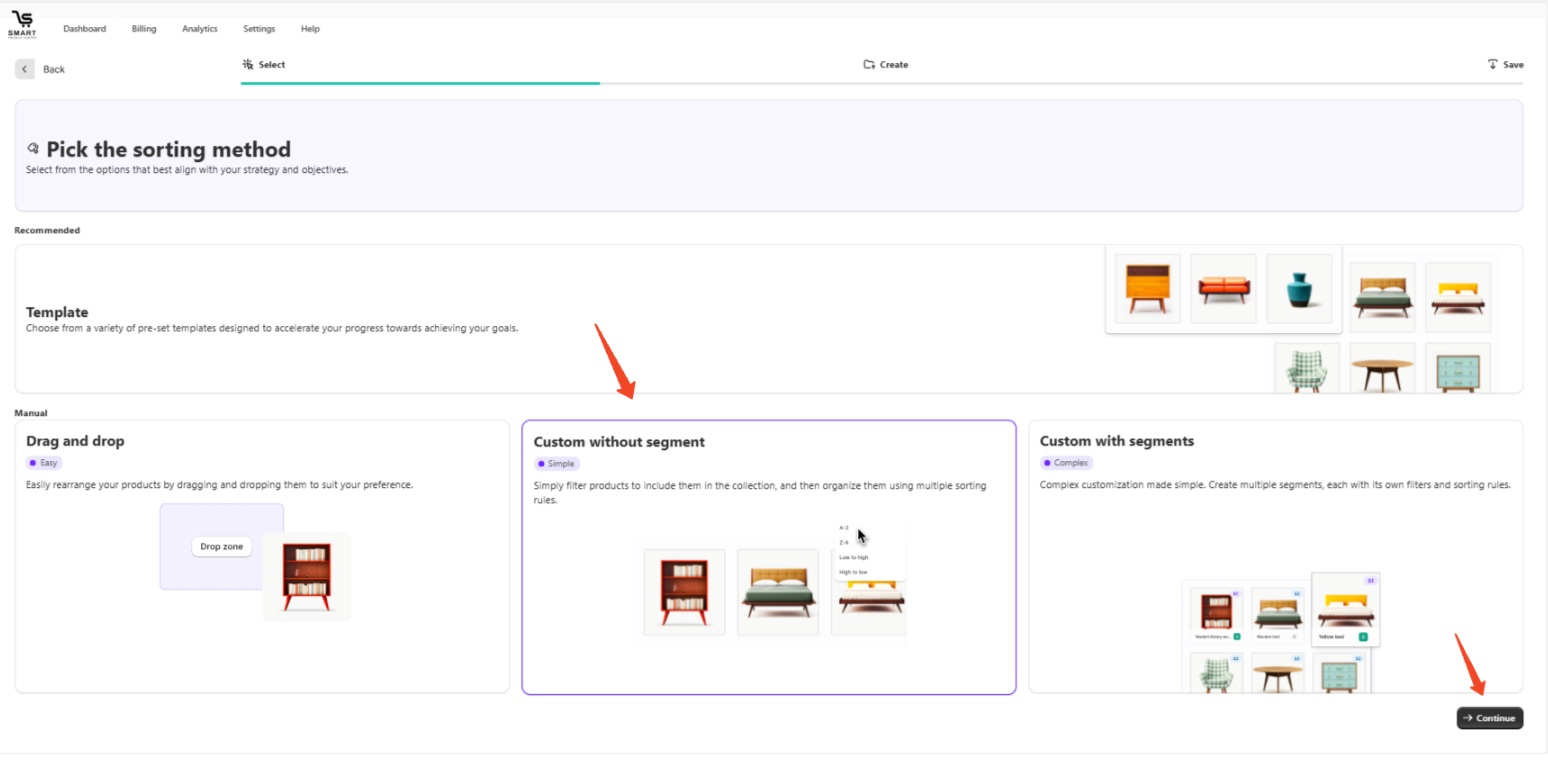
2. Choose ‘Custom without segment’ and click 'Continue.'
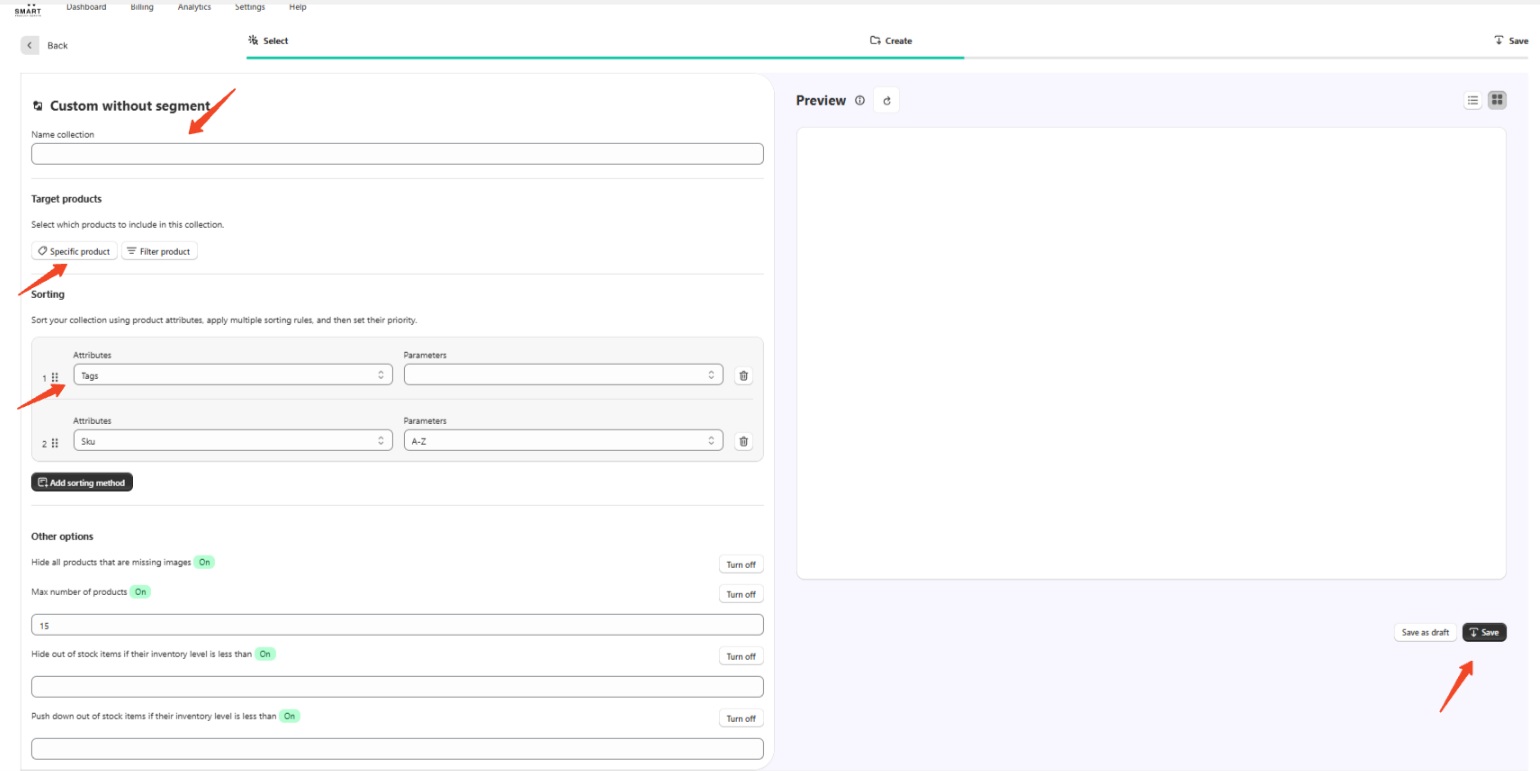
3. Name your collection, add the products you want to include, sort your collection using product attributes, and then click 'Save.'
Keywords:
How can I add products to a collection?