
1. In your Smart Product Sorter dashboard, click the ‘Create new collection’ button.

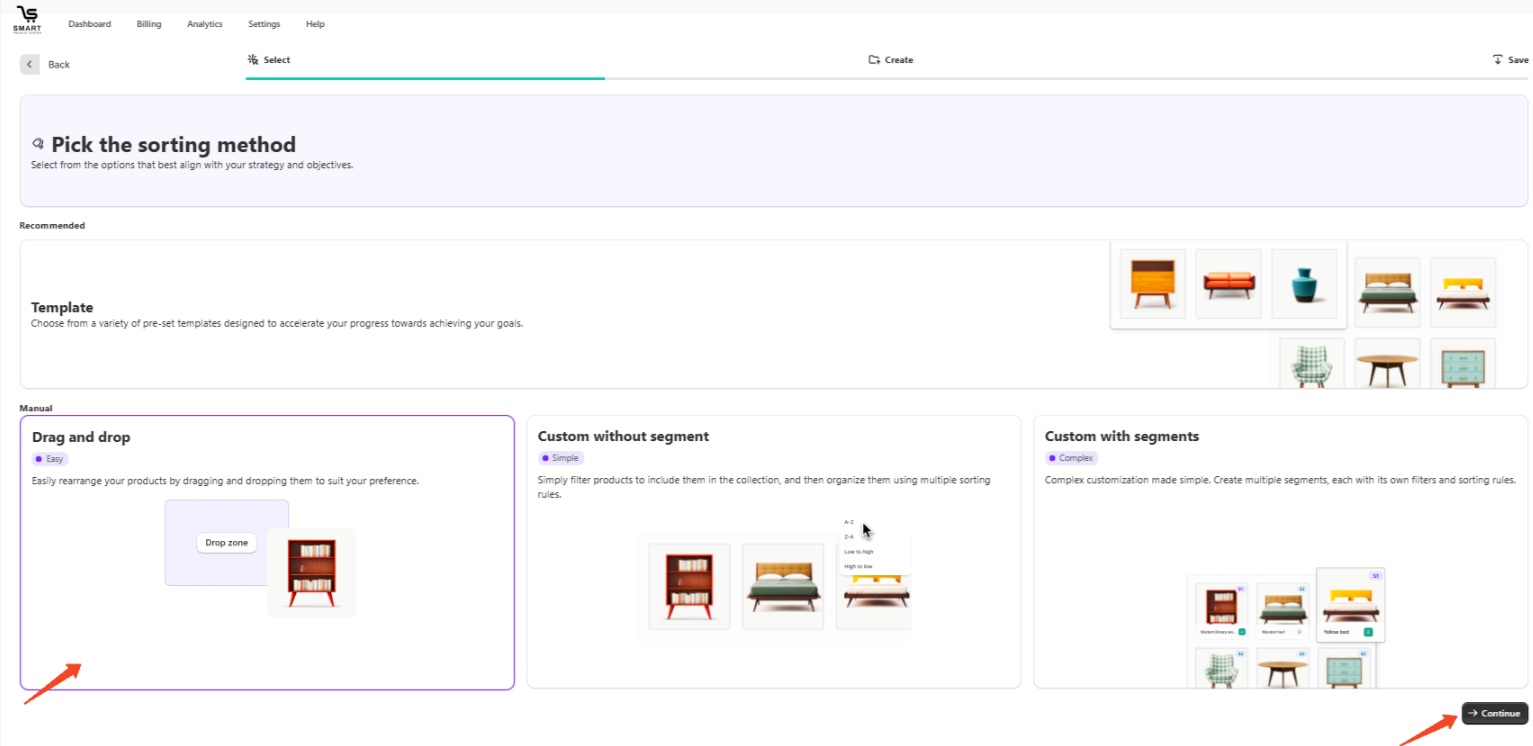
2. Choose ‘Drag and drop’ and click 'Continue.'
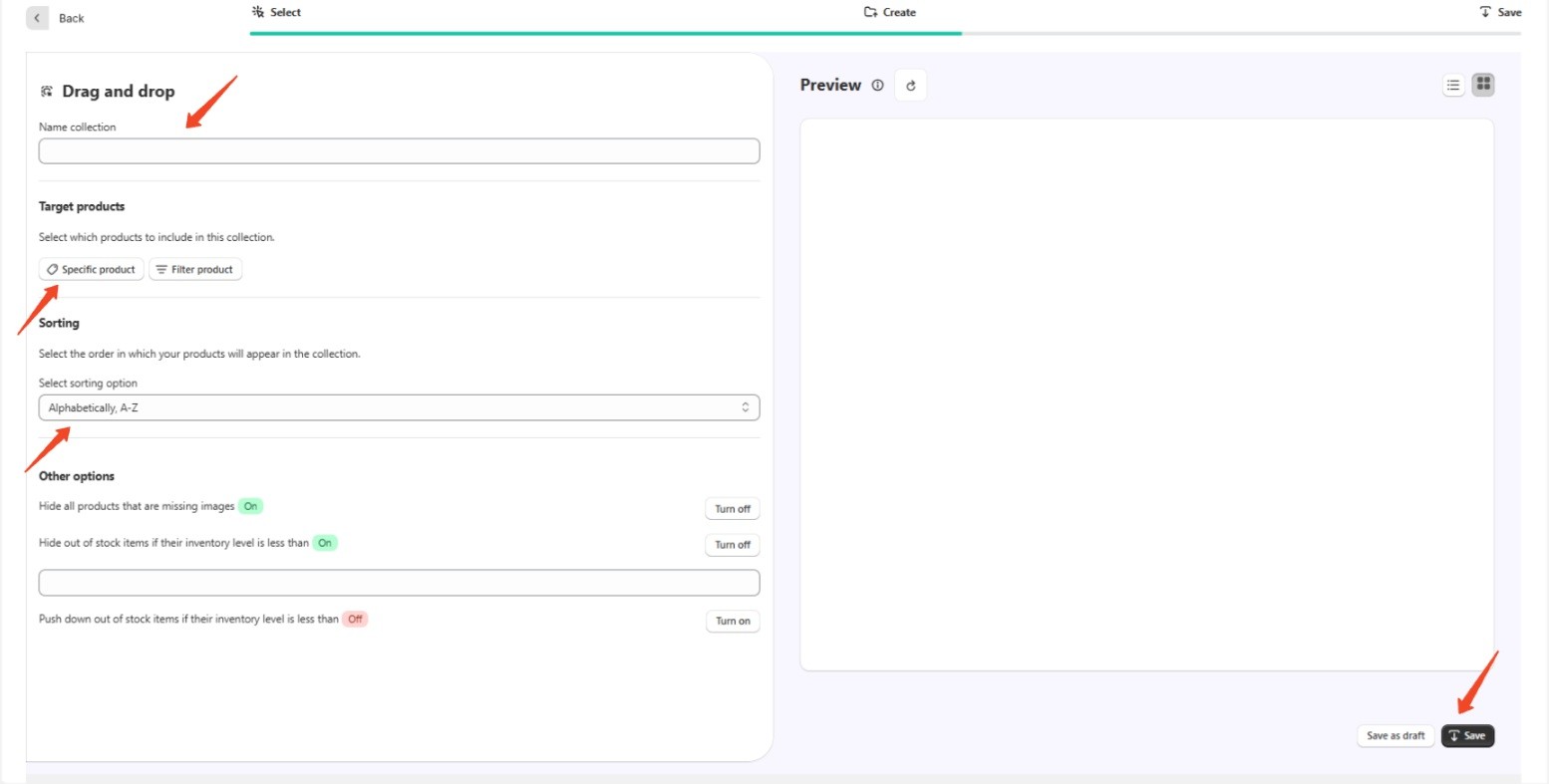
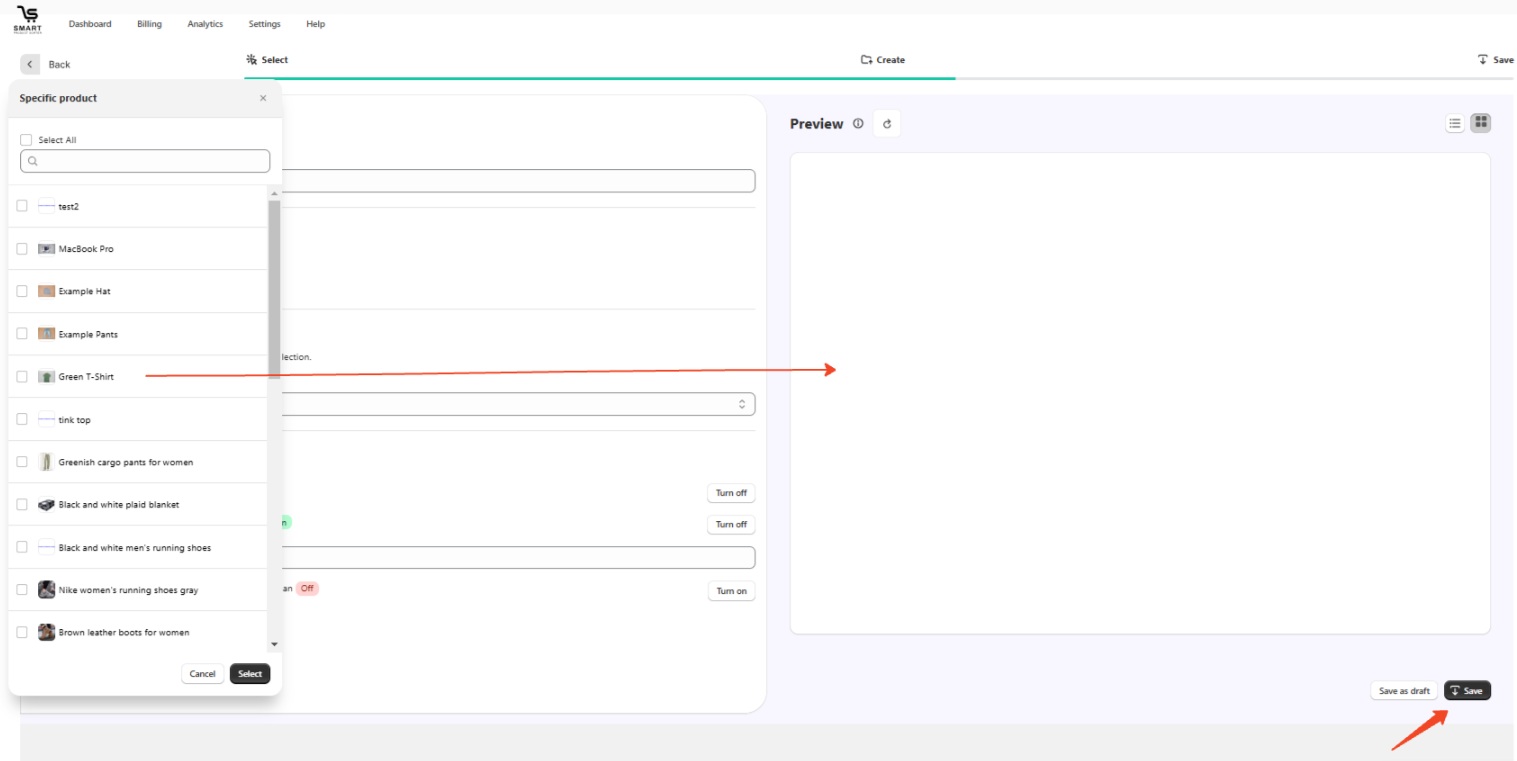
3. Name your collection, add the products you want to include by selecting them from the list or simply dragging them, select a sorting option, and then click 'Save.'
Keywords:
How can I add products to a collection?
Can I drag and drop products into a collection?